Public Beta

Control Your PC
From Anywhere

Work remotely, play games on the go, or help your family with tech issues. One app does it all.

Requires Android 8+ and Windows 10+

See It in Action

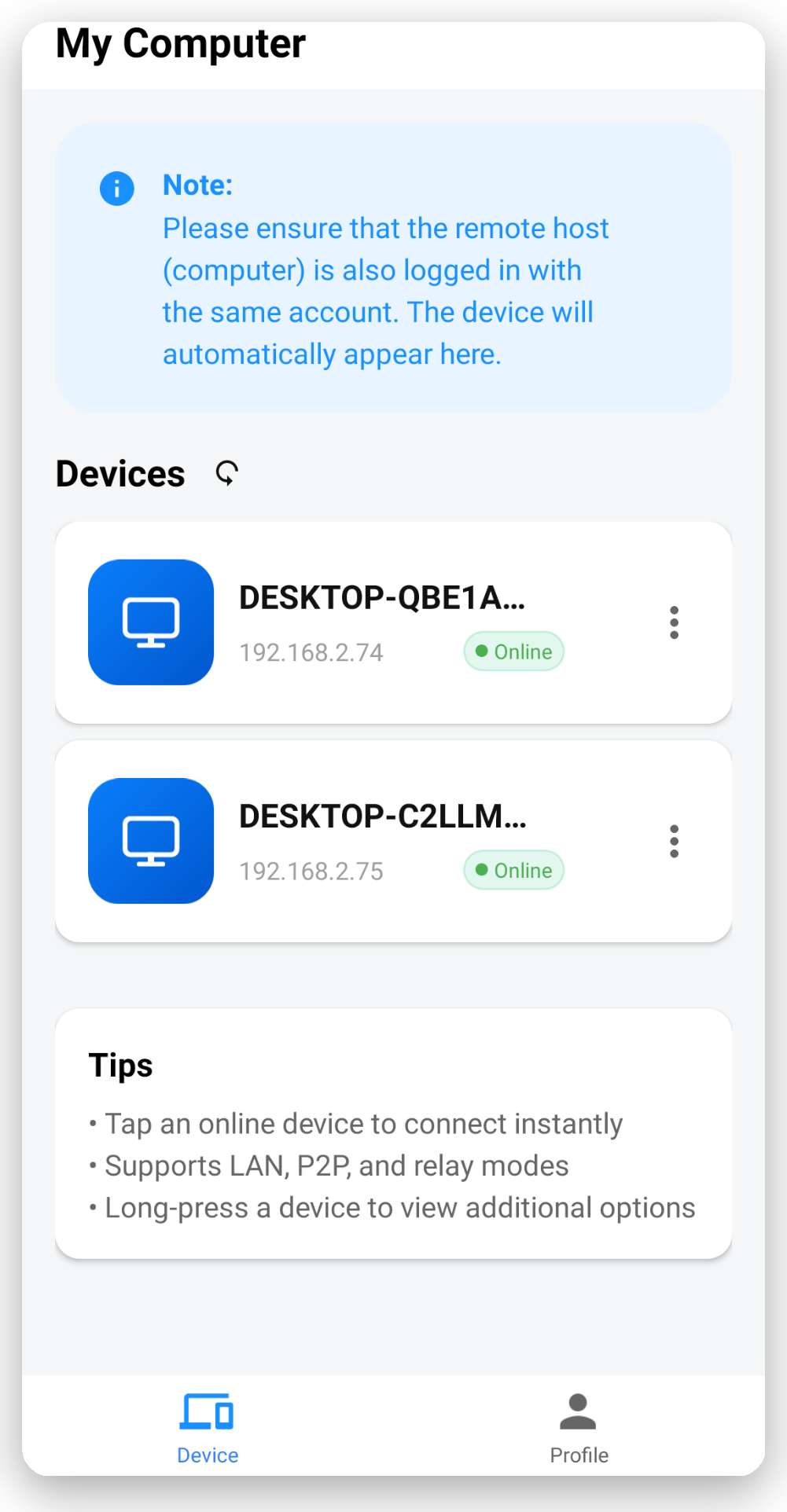
Clean, intuitive interface on both desktop and mobile
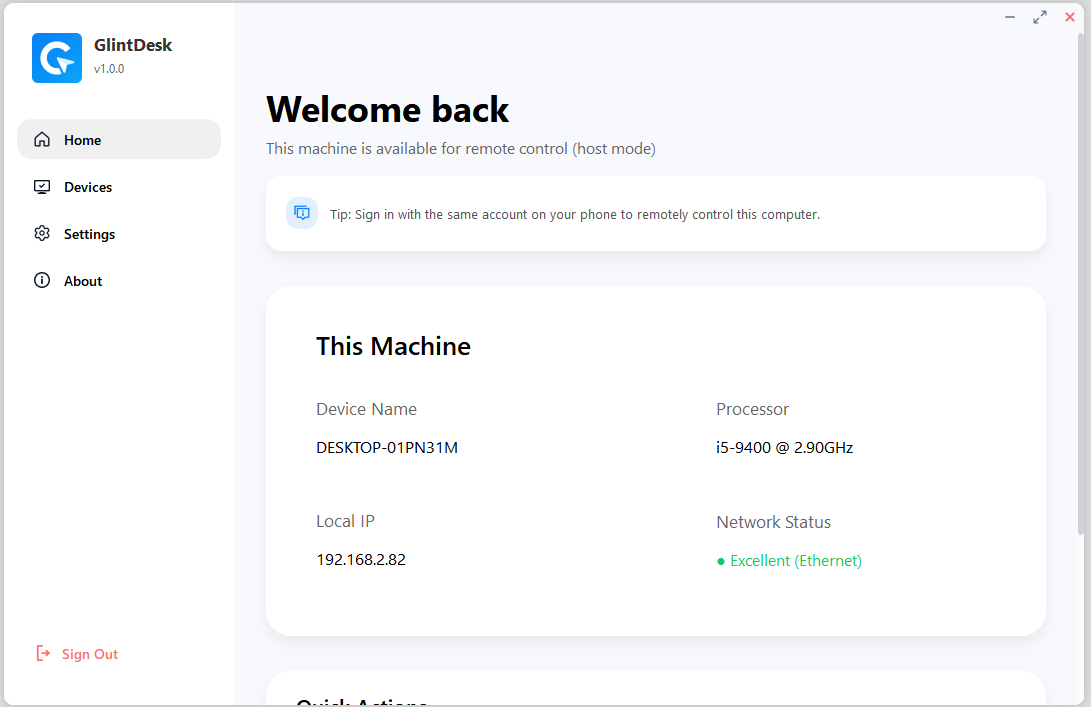
Glintdesk Windows app - Device management interface Windows Host
Glintdesk Android app - Device list and connection Android Controller

Why Glintdesk?

We focus on delivering a smooth, secure, and simple remote control experience.

Ultra-Low Latency

Average 5ms latency on local networks. Our optimized protocol makes remote control feel like you're sitting right at your desk.

End-to-End Encryption

AES-256 encryption protects all your data. We never store session content — your privacy comes first.

Touch Optimized

Designed for mobile from the ground up. Intuitive gestures, virtual keyboard, mouse, and gamepad controls built in.

Works Everywhere

LAN direct connect, P2P traversal, or relay — we automatically find the best connection method for your network.

Game Streaming

Stream at 1080p 60fps with Xbox/PlayStation controller support. Take your PC gaming library anywhere.

Free to Start

Get started at no cost. Core features are free with no time limits. Premium features available for power users.

Built for Every Scenario

Whether it's work or play, Glintdesk has you covered.

For Work

Your Office,
In Your Pocket

Handle urgent tasks on the go. Access professional software on your phone — document editing, code debugging, video calls, all seamless.

  • Use Excel, PowerPoint, Photoshop remotely
  • Access your dev environment anytime
  • Run Windows software on any device
For Gaming

PC Games,
Mobile Freedom

Carry your entire game library with you. Play Steam titles from bed, or grind during your commute.

  • Stream at 1080p 60fps
  • Full Xbox/PlayStation controller support
  • Just 5-15ms latency on 5GHz WiFi

Get Started in 3 Steps

No technical knowledge required. Set up in just a few minutes.

1

Download

Install Glintdesk on both your phone and PC. Available for Android and Windows.

2

Sign In & Pair

Log in with the same account on both devices. They'll discover each other automatically.

3

Connect

Tap any online device to start controlling. Enjoy smooth, low-latency remote access.

Latency
5-15ms LAN
Connection
LAN / P2P / Relay
Encryption
AES-256
Max Quality
4K @ 60fps

Frequently Asked Questions

Common questions about Glintdesk

How do I connect my phone to my PC?
Install Glintdesk on both devices and sign in with the same account. Your devices will automatically appear in each other's device list. Tap the PC you want to control to connect — no manual IP configuration needed.
Do I need to be on the same WiFi network?
No! Same-network connections are fastest (5-15ms latency), but Glintdesk also works across different networks. The app automatically selects the best connection method: LAN direct, P2P traversal, or server relay.
Is it free to use?
Yes. Core features are free to use with no time limits. We also offer premium features for power users who need advanced capabilities.
Is the connection secure?
Absolutely. All connections use AES-256 end-to-end encryption. Data is encrypted directly between your devices — our servers cannot decrypt or view any content. We also never store your session recordings.
What are the system requirements?
Mobile: Android 8 or later
Desktop: Windows 10 or 11
Network: Host PC should have at least 5 Mbps upload bandwidth for smooth streaming
Can I use it for gaming?
Yes! Glintdesk is optimized for gaming with latency as low as 5-15ms on 5GHz WiFi. It supports virtual gamepad controls and works with Xbox and PlayStation controllers connected to your phone. Great for strategy, RPG, simulation games, and even some action titles.
How is this different from TeamViewer or AnyDesk?
Glintdesk is purpose-built for mobile-to-PC control with deep optimization for touch interfaces and game streaming. We offer lower latency through intelligent P2P connections, a better mobile experience, and it's completely free without commercial use restrictions.
What if I need help?
Open the Glintdesk Android app, go to Me → Support, and submit a feedback form. We'll get back to you as soon as possible.